Analog Clock Lesson Plans: Standards-Based Teaching for Elementary Education
Teaching children to tell time with analog clocks remains a fundamental skill, even in our digital world. Yet, many educators struggle to find engaging, standards-aligned resources that make this abstract concept concrete for young learners. How can you make telling time a fun and effective part of your curriculum?
This guide provides ready-to-use lesson plans and classroom activities designed around a powerful, free online tool. By using the interactive clock at our online tool, you can transform time-telling instruction from a daily challenge into a classroom delight. Let's explore how to make every minute of learning count.
Why Analog Clocks Still Matter in Modern Education
Before diving into lesson plans, it's important to understand why this traditional skill holds significant value. Teaching analog clocks isn't just about reading time; it’s about developing critical cognitive abilities that support a child's overall academic journey.
Cognitive Benefits of Analog Clock Learning
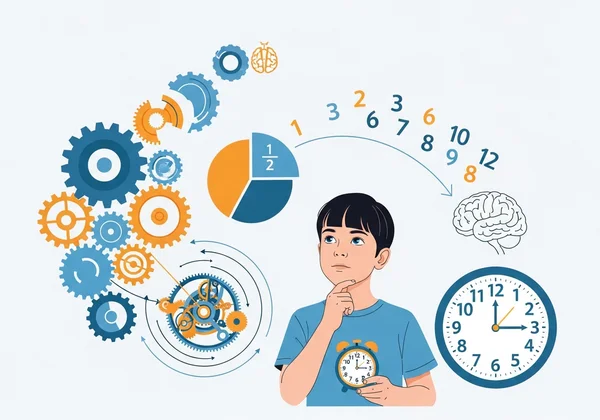
Learning to read an analog clock is a complex mental exercise. Children must understand spatial relationships, fractions (quarters and halves), and counting in multiples of five. These skills work together to strengthen their number sense and problem-solving skills. The circular face of the clock helps them visualize the passage of time, making an abstract concept tangible and easier to grasp than a simple digital readout. This visual understanding lays the groundwork for planning, scheduling, and time management skills later in life.
Connecting Analog Skills to Digital Literacy
Some may argue that analog clocks are obsolete in a digital age. However, mastering an analog clock actually enhances a child's digital literacy. Understanding why a digital clock shows "6:30" requires knowing that the minute hand has traveled halfway around the clock face. This deeper knowledge prevents children from passively relying on digital displays. It encourages a more active and comprehensive understanding of how time works and bridges the gap between the concrete and the abstract, a crucial skill in all areas of STEM.
Standards Alignment for Time-Telling Instruction
Effective lesson plans must align with educational standards. The activities outlined here are designed to meet key learning objectives found in many national and international curricula, ensuring your instruction is both engaging and academically rigorous.
Common Core Connections (Grades 1-3)
In the U.S., Common Core State Standards for Mathematics address telling time across the early elementary grades:
- Grade 1 (1.MD.B.3): Tell and write time in hours and half-hours using analog and digital clocks.
- Grade 2 (2.MD.C.7): Tell and write time from analog and digital clocks to the nearest five minutes, using a.m. and p.m.
- Grade 3 (3.MD.A.1): Tell and write time to the nearest minute and measure time intervals in minutes. Solve word problems involving addition and subtraction of time intervals.
Our lesson plans directly support these benchmarks, using interactive practice to build mastery at each level.
International Math Frameworks
While standards vary globally, the core concepts of telling time are universal. Curricula like the UK's National Curriculum for mathematics and the Singapore Maths framework also emphasize a phased approach. They begin with hours and half-hours before moving to five-minute and one-minute increments. The interactive nature of our online teaching tool makes it adaptable to any framework, allowing students to explore time concepts at their own pace.
Ready-to-Use Lesson Plans with Our Online Tool
Here are four lesson plans that leverage our features to create a dynamic learning experience. Project the interactive clock on your smartboard for whole-class instruction or have students use it on individual devices.
Lesson 1: Introduction to Analog Clock Parts and Movement
Objective: Students will identify the hour hand, minute hand, and the numbers on a clock face.
- Introduction: Begin by showing the class the online clock. Ask students what they know about clocks.
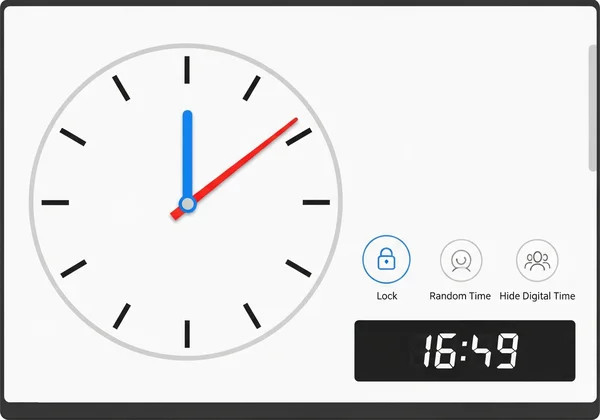
- Identify Parts: Point out the "blue hour hand" and the "red minute hand." Emphasize that the hour hand is shorter and slower, while the minute hand is longer and faster.
- Interactive Exploration: Allow students to click and drag the hands on our interactive teaching clock. Ask them to make the fast red hand go all the way around. Observe how the slow blue hand moves just a little bit. Use the "Lock" feature to isolate one hand at a time to simplify this concept.
Lesson 2: Mastering Hours and Minutes on an Analog Clock
Objective: Students will tell time to the hour and begin to understand minutes.
- Telling the Hour (O'Clock): Drag the red minute hand to the 12. Explain that when it points straight up, we say "o'clock." Move the blue hour hand to different numbers and have students call out the time (e.g., "3 o'clock," "9 o'clock").
- Introducing Minutes: Explain that the numbers also represent minutes. Practice skip-counting by fives as you point to each number (5, 10, 15...).
- Practice: Use the "Random Time" button to generate new practice times. Begin with simple hour and half-hour times. Then use the "Hide Digital Time" feature to challenge students. Have them read the clock face before revealing the correct answer.
Lesson 3: Advanced Time Concepts (Half Past, Quarter To)
Objective: Students will learn to use phrases like "half past," "quarter past," and "quarter to."
- Half Past: Set the clock to 6:30. Show students that the minute hand is halfway around the clock. Introduce the phrase "half past six." Practice with other hours.
- Quarter Past/To: Set the clock to 3:15 ("quarter past three") and 8:45 ("quarter to nine"). Use the visual of the clock face to explain why these are called "quarters."
- Game Time: Call out a time using these phrases and have students race to set their interactive clocks to the correct time.
Lesson 4: Real-World Time Application Scenarios
Objective: Students will connect telling time to daily schedules and events.
- Story Problems: Create simple story problems. "Recess starts at 10:15. Can you show me 10:15 on the clock?" Or, "Lunch is at 12:00. We have to wash our hands 10 minutes before. What time is that?"
- Classroom Schedule: Have students use our interactive clock tool to show the times for different parts of the school day, such as the start of school, reading time, and dismissal. This reinforces the practical importance of telling time.
Differentiated Instruction Strategies Using the Tool
Every classroom has a diverse range of learners. The flexibility of an interactive tool allows you to cater to different learning styles and needs easily.
Supporting Visual Learners with Interactive Features
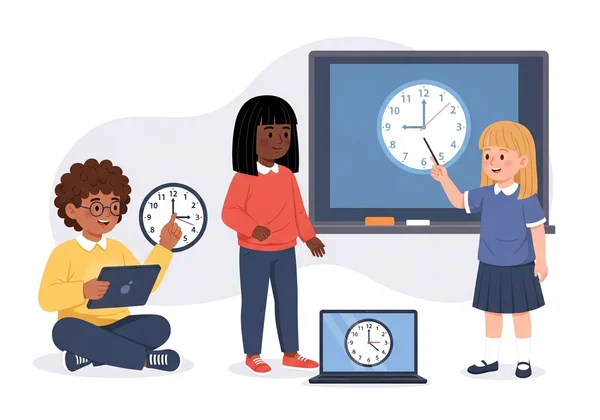
Visual learners thrive on seeing concepts in action. The color-coded hands (blue for hour, red for minute) and the instantly updating digital display provide immediate visual feedback. You can drag the minute hand slowly and watch the hour hand creep forward, visually demonstrating the relationship between them in a way a static worksheet cannot.
Accommodating Kinesthetic Learners Through Hands-On Practice
Kinesthetic learners need to do. The ability to click, drag, and manipulate the clock hands directly engages them in the learning process. This hands-on practice transforms a passive lesson into an active exploration, solidifying their understanding through muscle memory and direct interaction.
Adapting for Students with Learning Differences
For students who need extra support, the tool's features are invaluable. You can use the "Lock" function to focus on just one hand at a time, reducing cognitive load. The "Hide/Show Digital Time" button allows for self-paced practice and immediate correction without the pressure of being called on in class. This creates a safe, low-stakes environment for building confidence.
Assessment and Progress Tracking Methods
How do you know if your students are mastering the skill? The interactive clock can be a powerful tool for both informal and formal assessment.
Formative Assessment Techniques with the Interactive Clock
Use the tool for quick, in-the-moment checks for understanding.
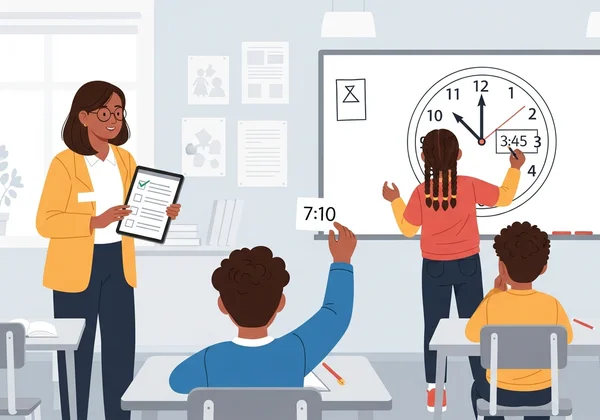
- Quick Quizzes: Click the "Random Time" button and have students write the time on a small whiteboard.
- Think-Pair-Share: Have partners work together to set the clock to a time you call out, explaining their reasoning to each other.
- Exit Tickets: Before dismissal, ask each student to come to the smartboard and set the clock to a specific time.
Creating Digital Portfolios of Time-Telling Mastery
Documenting student growth can be simple. Have students take screenshots of the clock after they have correctly set a challenging time (e.g., "quarter to eleven"). These images can be collected in a digital folder or portfolio for each student, creating a visual record of their progress from telling time to the hour to telling it to the minute.
Bring Time to Life in Your Classroom
When students can physically move clock hands and see time relationships come to life, abstract concepts suddenly become crystal clear. That 'aha!' moment when a child finally masters telling time? That's what makes all the difference in your classroom.
Ready to revolutionize your time-telling lessons? Visit our website today to access the free interactive clock and bring these proven lesson plans to life in your classroom.
Things You Might Be Wondering
At what age should students begin learning to tell time with analog clocks?
Most curricula introduce telling time around age 6 or 7 (first grade). The initial focus is on hours and half-hours. More complex concepts, like telling time to the nearest five minutes and then to the minute, are typically taught in second and third grade.
How can I make analog clock learning relevant for students in a digital world?
Connect it to real-world concepts like schedules, planning, and understanding time intervals. Explain that understanding an analog clock helps them visualize how much time is left before an event (e.g., "The long hand has to get to the 6 before we can go to recess"). This builds a foundation for time management that digital displays don't offer.
What are the most common challenges students face when learning to tell time?
Common hurdles include confusing the hour and minute hands, forgetting to skip-count by fives for the minutes, and misunderstanding phrases like "quarter to." Using an interactive tool like the one on our website helps overcome these challenges by providing immediate, visual feedback and repeatable practice.
How often should students practice time-telling skills for mastery?
Consistent, short bursts of practice are more effective than long, infrequent lessons. Aim for 5-10 minutes of practice daily. Using games and quick challenges with an online clock can keep this practice fresh and engaging.
Can this online tool be used for whole-class instruction or only individual practice?
Both! The tool is perfect for whole-class instruction when projected onto a smartboard or screen. It is also ideal for individual or small-group practice on tablets, laptops, or desktop computers, making it a versatile resource for any classroom setup.